
A guided tour of Actify, from setup to engagement
Actify is designed to turn workplace idle time into meaningful team connection. Here's exactly how it works — for your employees and for HR — with a full walkthrough video at the end.
From sign-up to a team that shows up
Four steps take a company from an empty plan to a calendar full of activities people actually join.
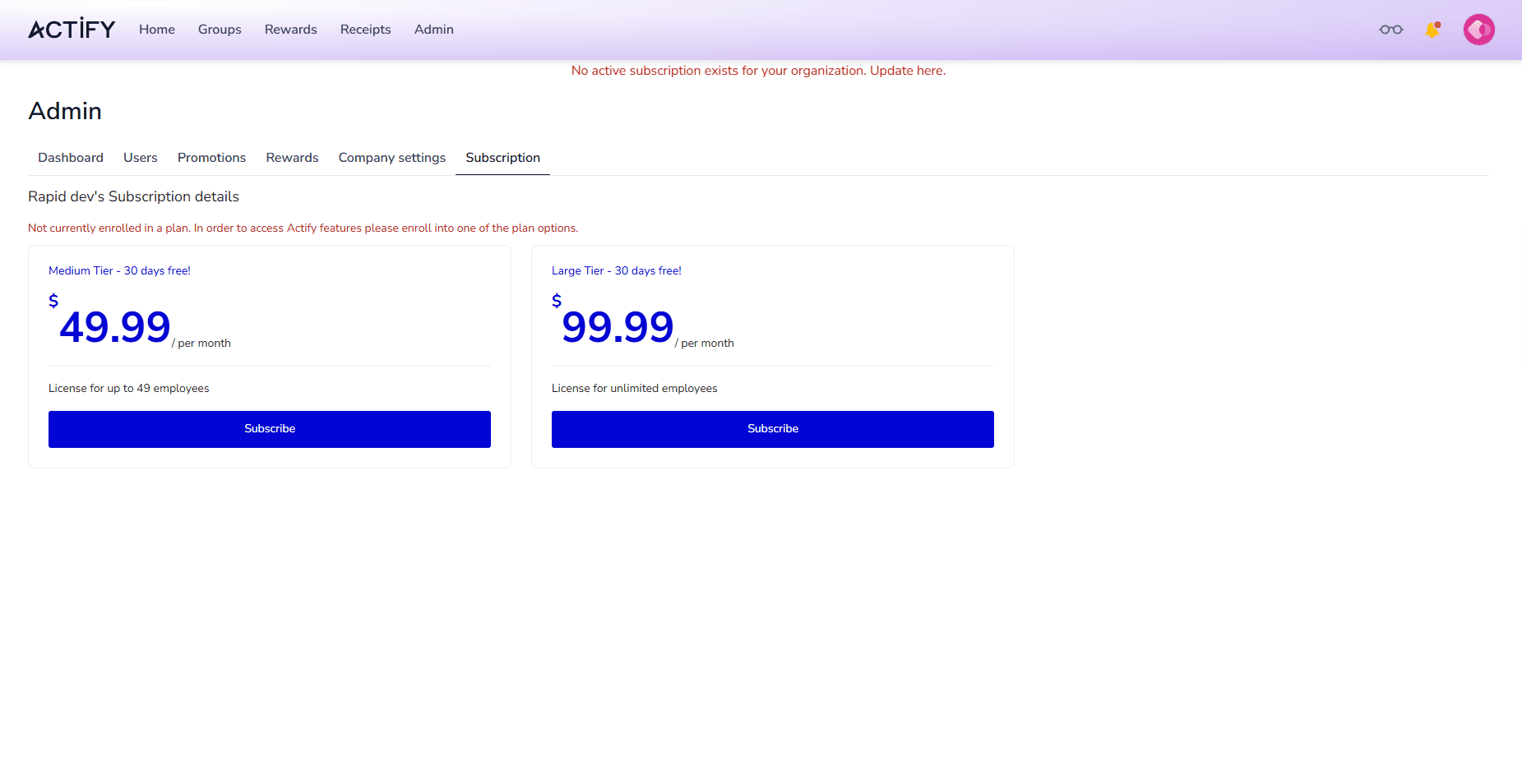
Step 01 · Set up
Set up your company in minutes
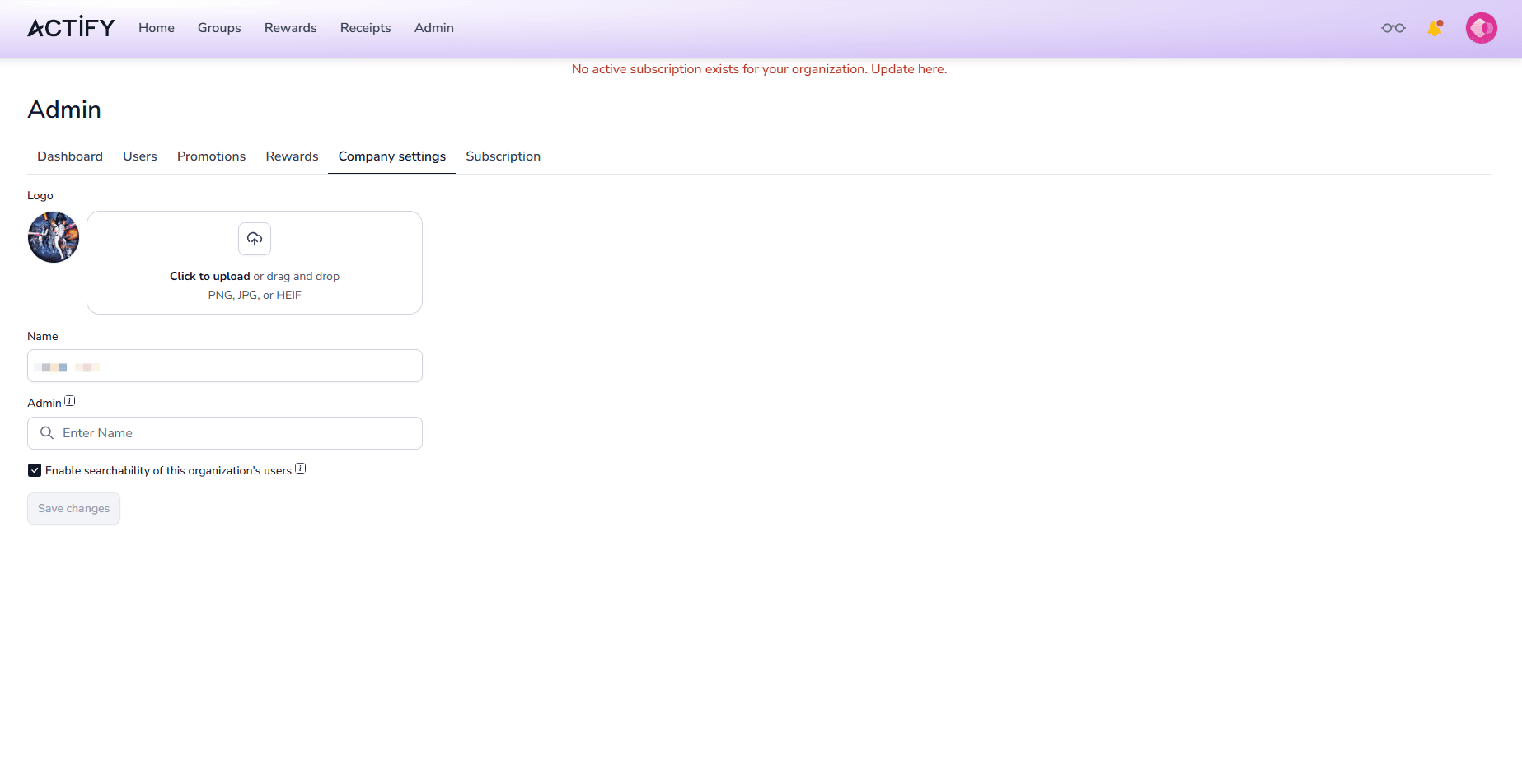
HR picks a plan and enrolls — the Medium Tier at $49.99/month for up to 49 employees, or the Large Tier at $99.99/month for unlimited employees. Both start with a 30-day free trial. In Company settings you upload your logo, name your organisation, assign secondary admins, and control user searchability.
- Two simple plans, both with a 30-day free trial
- Upload your logo and name your organisation
- Assign secondary admins and privacy controls
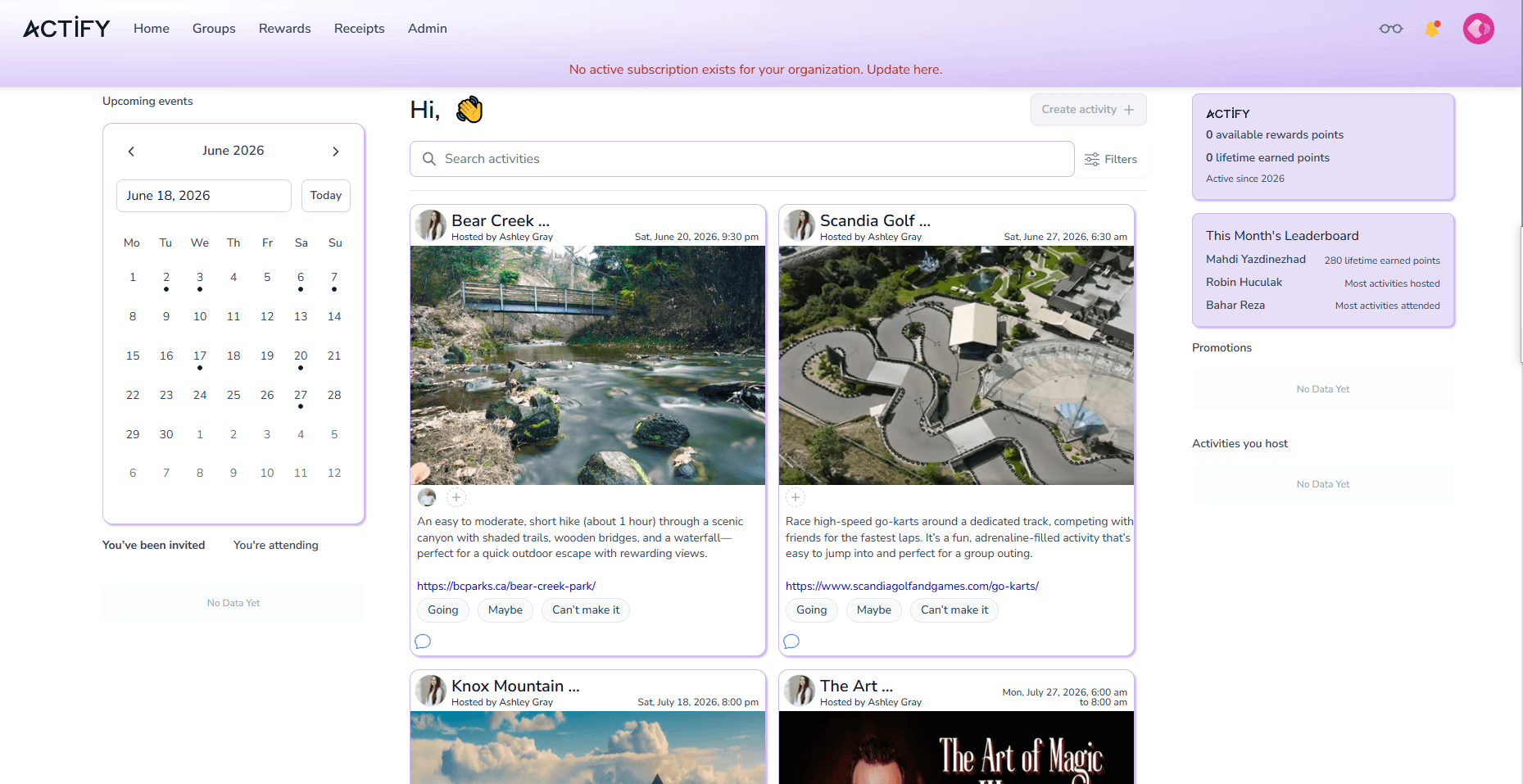
Step 02 · Log in
Your team logs in to a live events feed
Employees land on their home dashboard: a calendar of upcoming events on the left, and event cards on the right with date, time and RSVP buttons — Going, Maybe, or Can't make it. They can filter by group, interest or date, and see the leaderboard and active promotions at a glance.
- Calendar and event cards in one feed
- RSVP in a single click
- Filter by group, interest or date
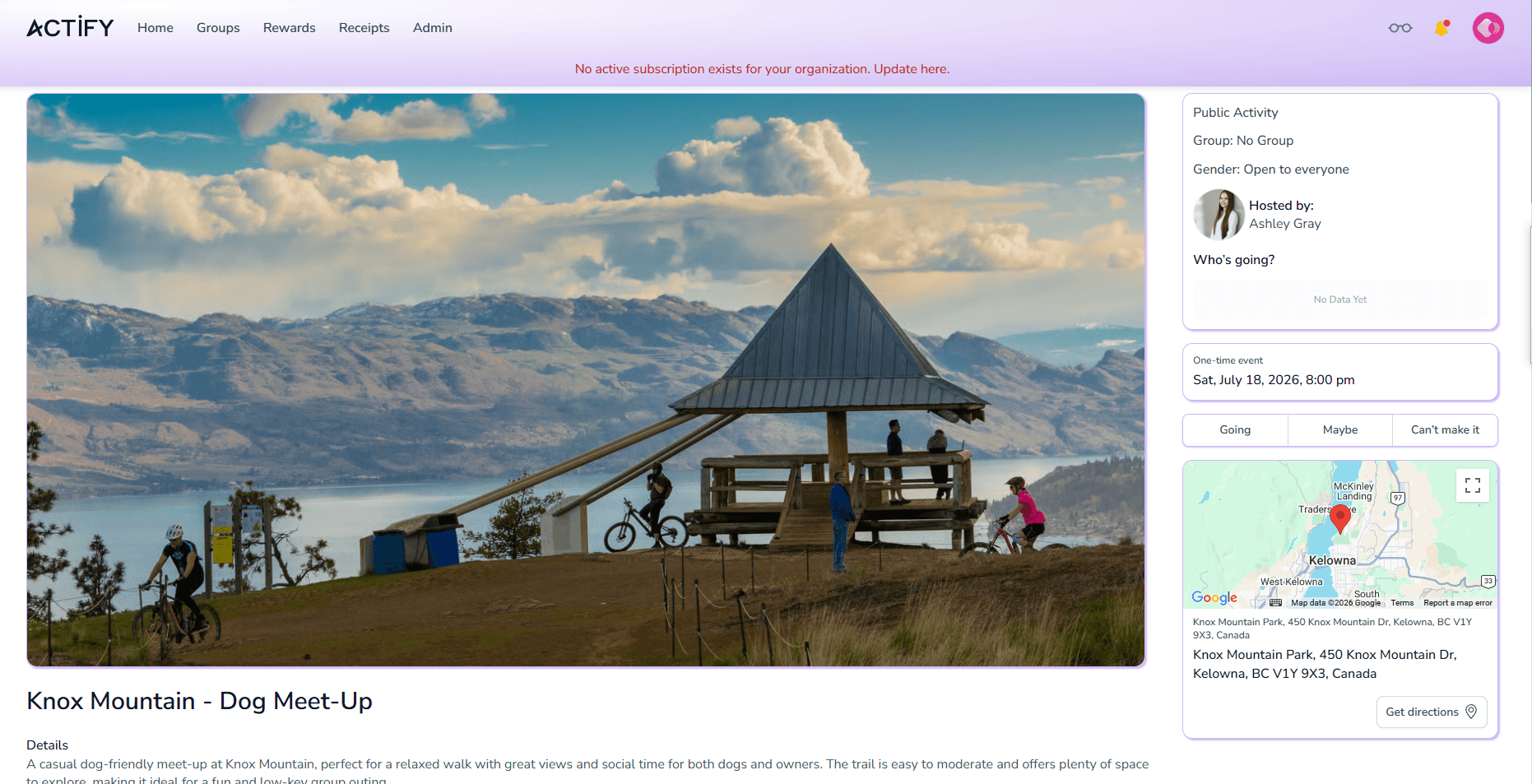
Step 03 · Join
Open any event, or join a group
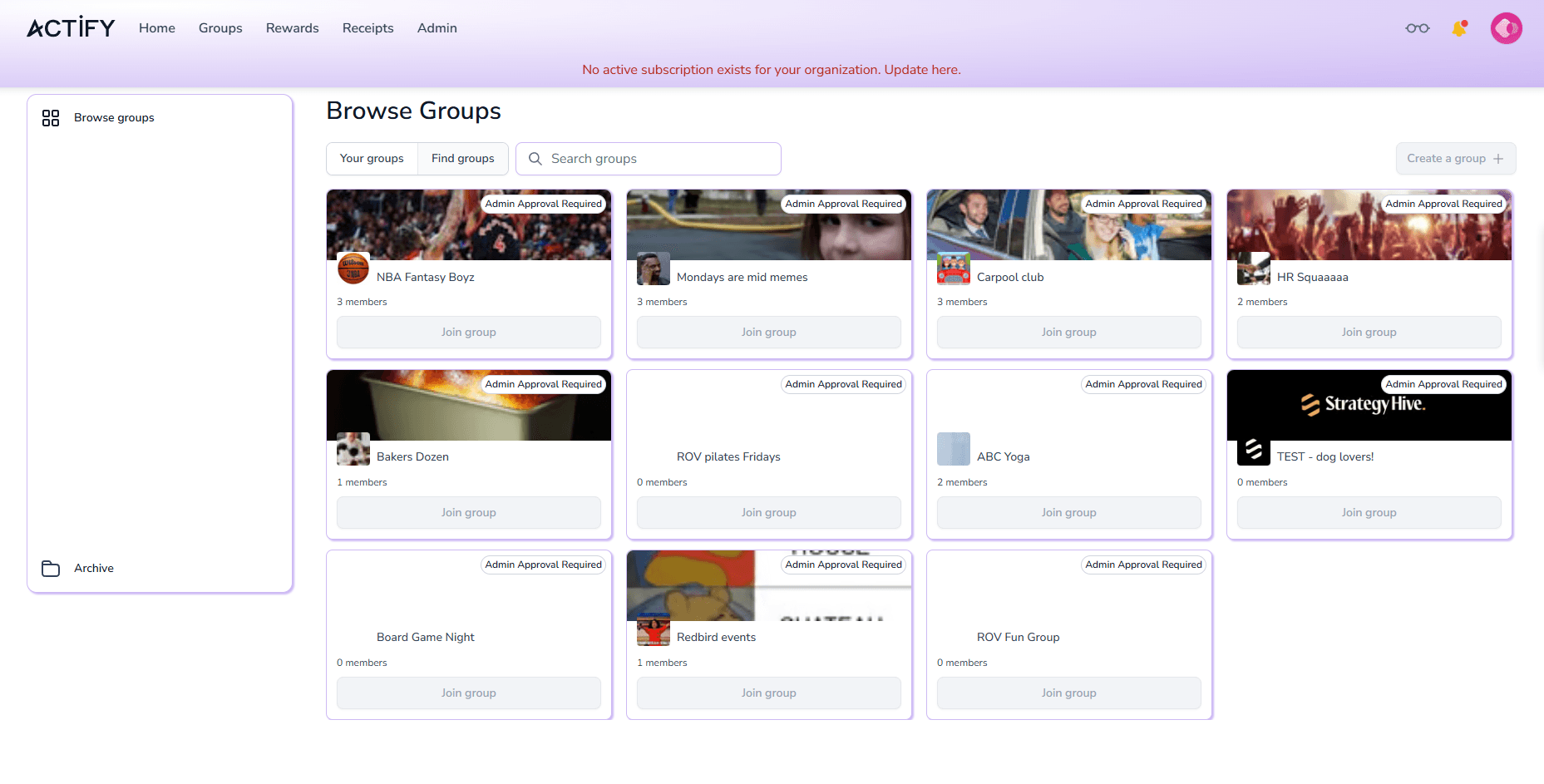
Click an event to see full details — description, location on the map, the host, and who's going. Under Groups, employees browse all available interest groups, from sports to book clubs. Most require a quick admin approval to join, so teams find their people fast.
- Full event details with map and attendees
- Browse interest groups, from sports to book clubs
- Request to join — most are admin-approved
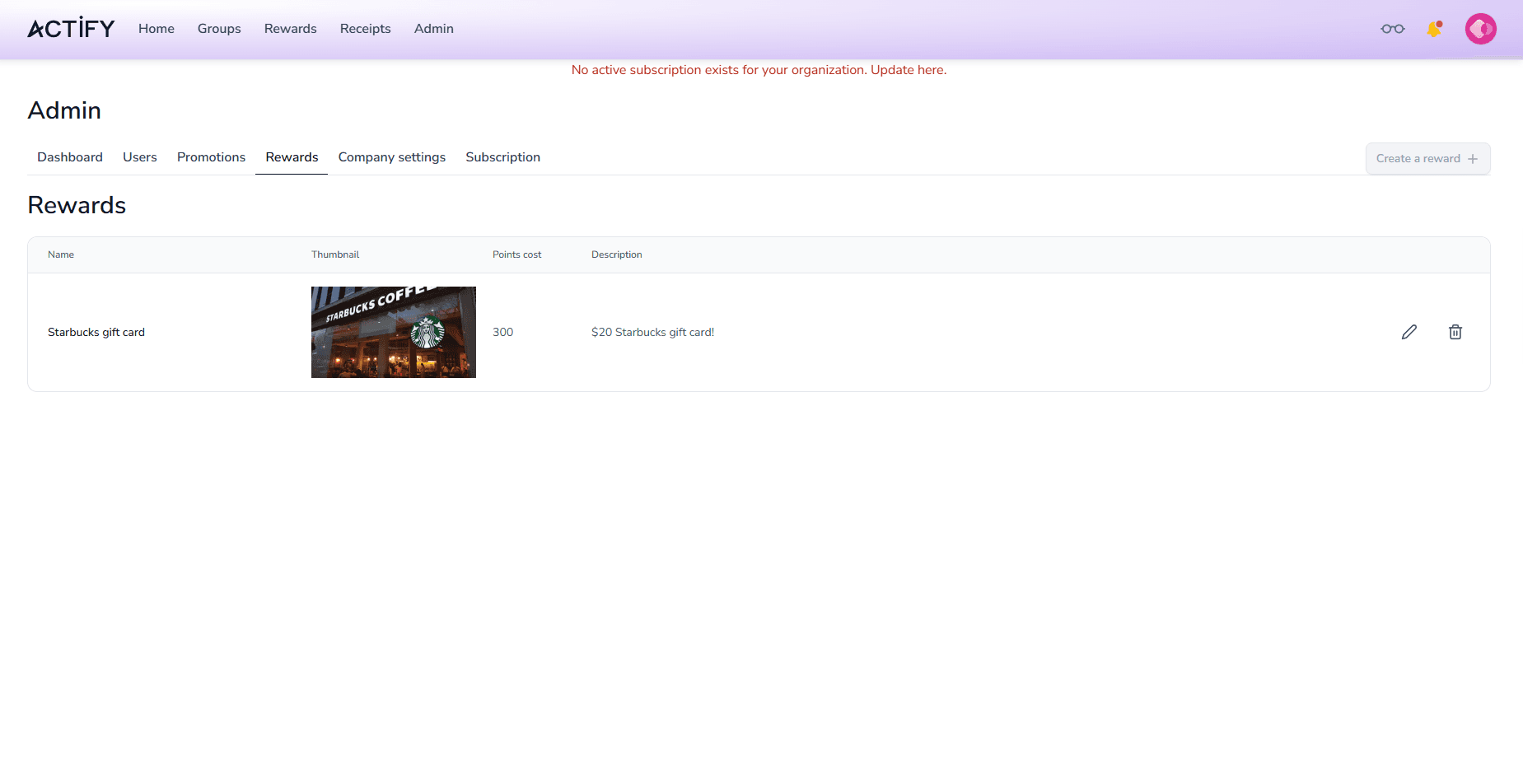
Step 04 · Earn
Earn points and redeem rewards
Taking part earns points. The Rewards catalogue shows exactly what employees can redeem — for example, a $20 Starbucks gift card for 300 points. Admins can edit existing rewards or create new ones with their own images and points cost.
- Earn points for joining activities
- Redeem from a clear rewards catalogue
- Admins manage rewards with images and points cost
Turn activity into insight with the Admin dashboard
Everything HR needs to measure engagement — without adding work.
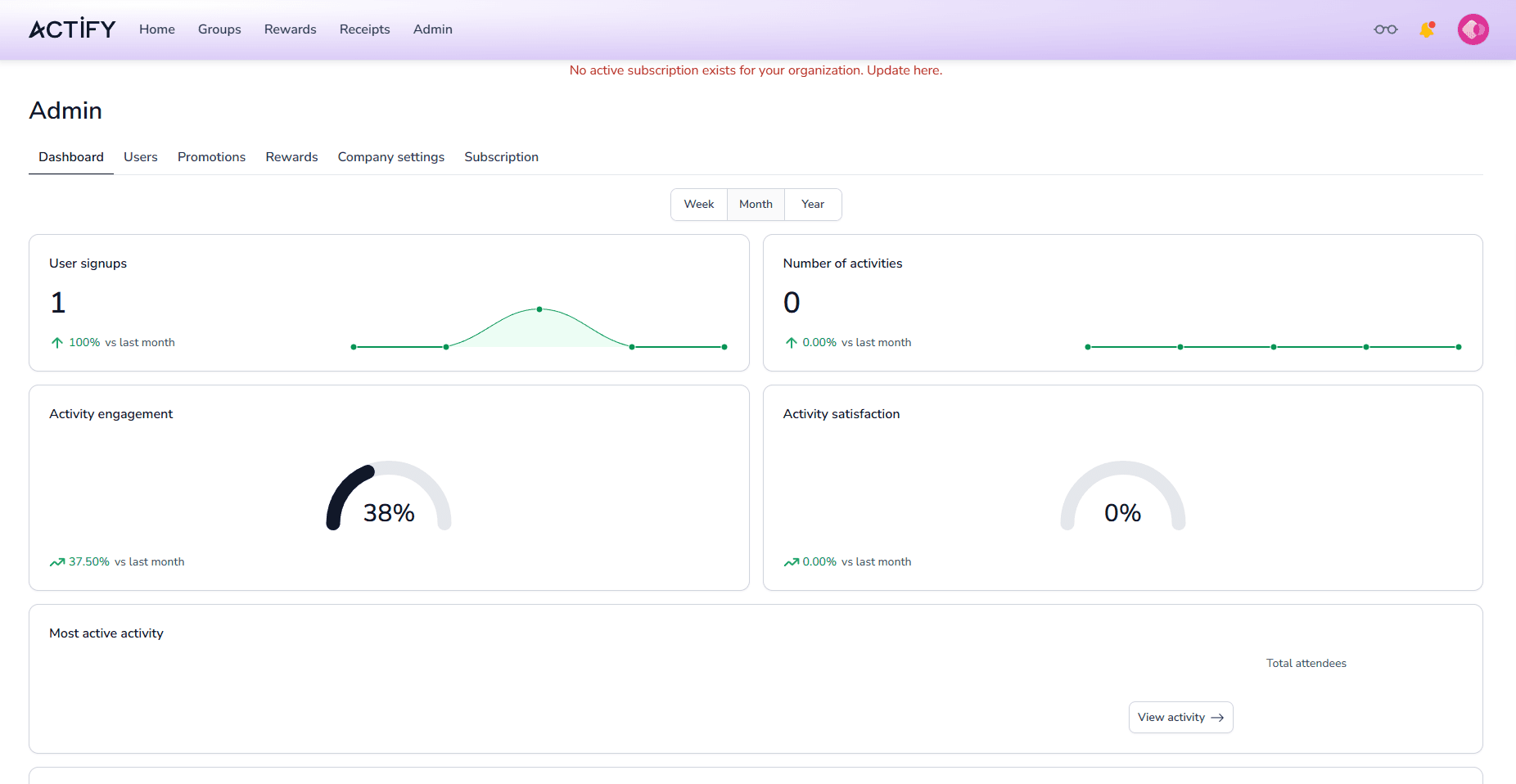
The Admin Dashboard shows user signups, the number of activities, and activity engagement and satisfaction. Below it, the employee leaderboard ranks the most hosted and most-participated activities. At the bottom, monthly survey results reveal whether people feel bored or disconnected at work — alongside engagement with coworkers, focus and energy.
- Signups, activities, engagement and satisfaction
- Employee leaderboard for hosting and participation
- Monthly pulse survey: connection, focus and energy
- Filter everything by Week, Month or Year
Everything HR runs from one place
Six tabs cover the whole programme — from your team and campaigns to rewards and billing.
Dashboard
Signups, activities, engagement and satisfaction — plus the leaderboard and monthly survey results, filterable by week, month or year.
Users
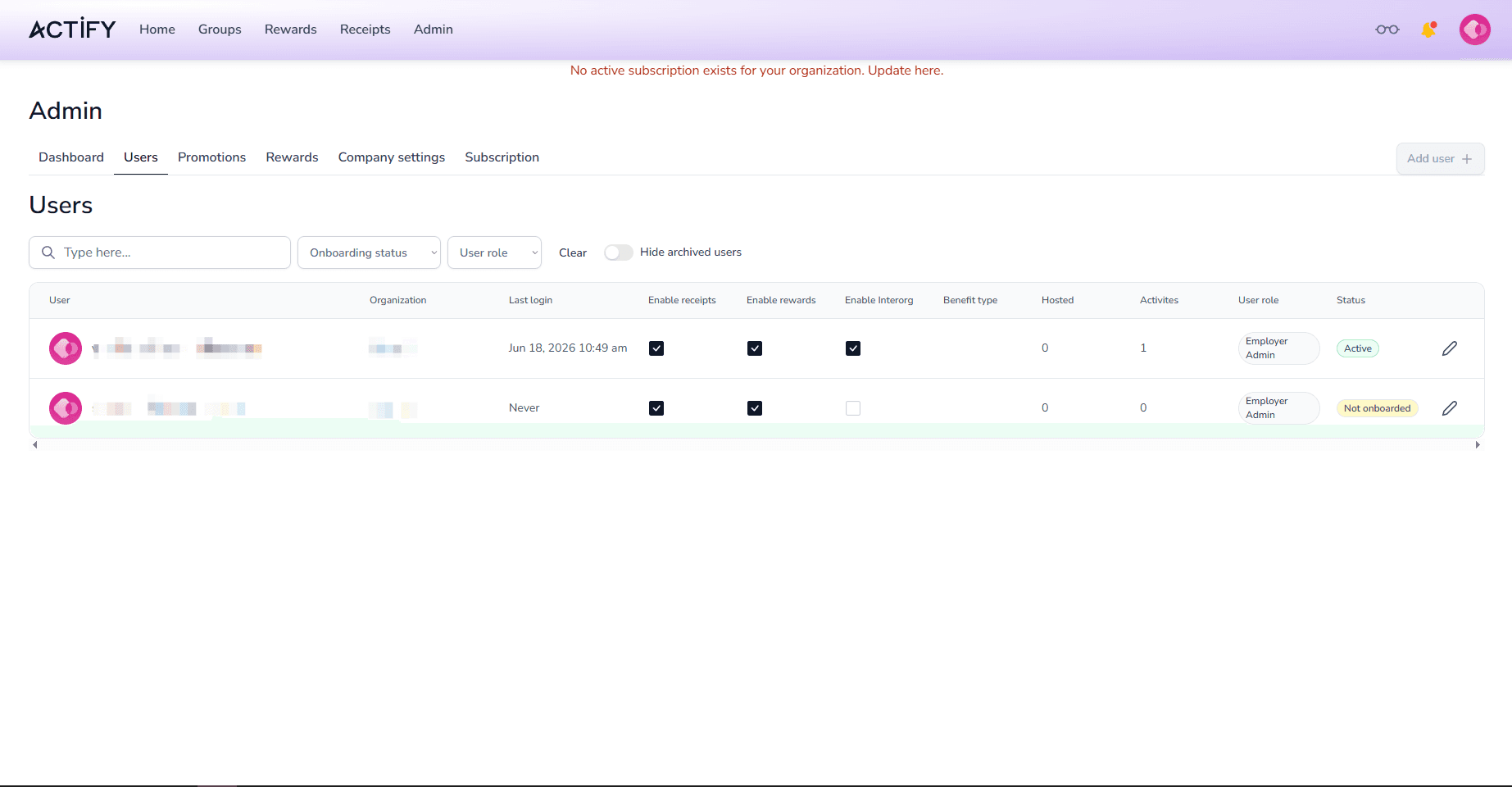
View and manage every team member, filter by onboarding status or role, edit a user, or invite someone new with Add user.
Promotions
Run campaigns for your team. Create your first one with the Create campaign button and surface it on the events feed.
Rewards
Build the rewards catalogue employees redeem points for. Edit existing rewards or add new ones with images and a points cost.
Company settings
Update your logo and organisation name, assign secondary admins, and toggle user searchability to manage your privacy.
Subscription
Choose the Medium or Large tier, manage billing, and start with a 30-day free trial — no commitment up front.
See the real product
A few more screens from inside Actify — the same platform your team will use every day.
See Actify in action
A full product walkthrough — exactly how the platform works, end to end.

Bring Actify to your team.
Book a free demo and we'll walk you through setup, activities, rewards, and analytics — tailored to your company.